Fresh install.
I have OpenAi API and credits. I have tried various different models but I always get the error above. No error messagesd in concole. Tokens are being consumed.
I can't see what preventing the the load from OpenAI to Jooma. AdminToools again? :-)
Last post
6 hours 47 min ago
Posts last week
58
Average response time last week
1 hour 41 min
All time posts
77807
All time tickets
11928
All time avg. posts per day
18
Helpdesk is open from Monday through Friday CET
Please create an (free) account to post any question in the support area.
Please check the development versions area. Look at the changelog, maybe your specific problem has been resolved already!
All tickets are private and they cannot be viewed by anyone. We have made public only a few tickets that we found helpful, after removing private information from them.
#12124 – OpenAI gives Error: Error loading data from server. View developer tools console for details.
Posted in ‘4AI’
This is a public ticket. Everybody will be able to see its contents. Do not include usernames, passwords or any other sensitive information.

johnjoemorgan

wb_weeblr
Hi,
Could you please provide us with superadmin credentials to your website.
You can create a temporary account, and delete it afterward, but it must be a superuser.
Just paste the credentials here in this ticket and use the email address [email protected].
Best regards,
Yannick Gaultier
https://weeblr.com | @weeblr
johnjoemorgan
Hi Yannick
example
example
https://www.example.com/johnjoemorgan-95?D8LSlt6Mn578XHH1
Cheers!
John
wb_weeblr
Hi
I logged in and used the chat without any issue:
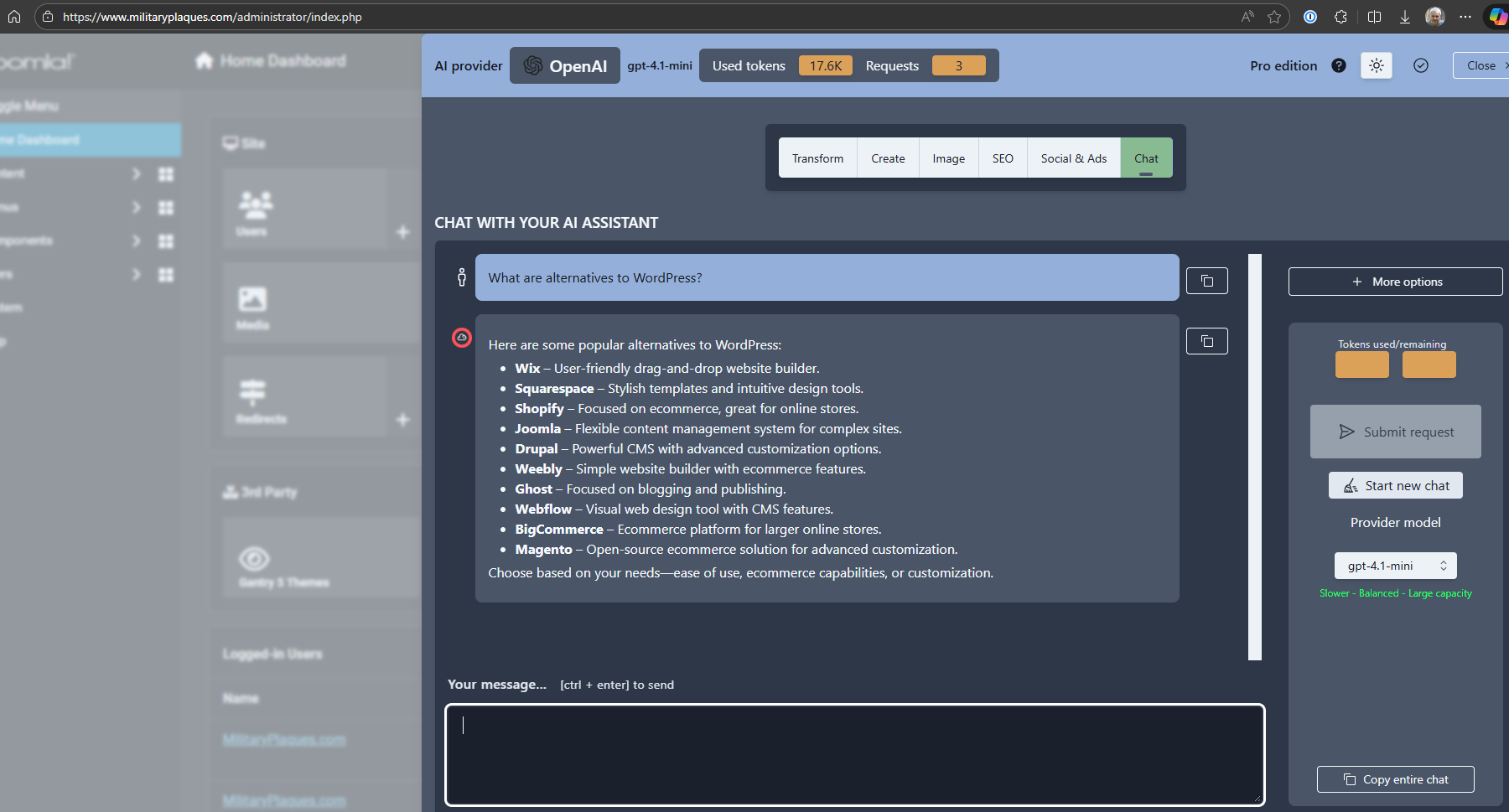
Oh yes, I then tried to check spell the first article on the articles page, and there I got an error:
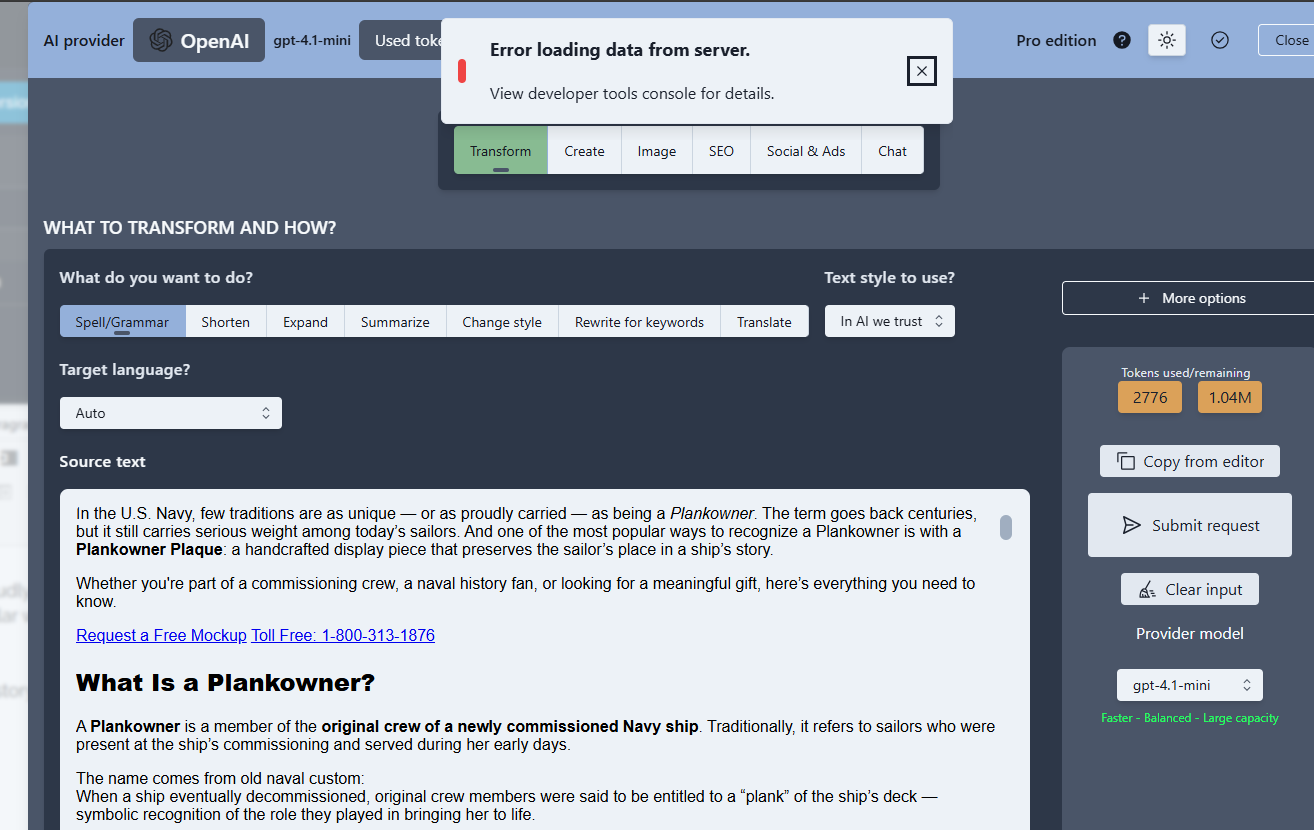
OK so the error in the developer console is a 504 error. It's an error code meaning "Gateway timeout". It means that your PHP server is configured to only allow requests that lasts a given number of seconds, typically 30 seconds.
So your server is cutting off 4AI communication with your server after 30 seconds and as OpenAI often takes longer than that to responds, it causes this issue:
- 4AI calls your server, asking it to contact OpenAI with the question
- Your server calls openai, and wait for their response
- OpenAI works on it (hence the tokens are used) and sends their response to your server
- if they do within 30 seconds, your server is still waiting and can send that response to 4AI in your browser
- if they take more than 30 seconds, your server stops waiting and tell 4AI that it took too long
Things you can do:
1. Increase the PHP allowed response time on your server (hosting company may agree or not on that)
2. Use Google Gemini instead of OpenAI: it's cheaper (free for many requests a day, you'll likely never pay), has better quality and is significantly faster.
Best regards,
Yannick Gaultier
johnjoemorgan
Morning,
Sorry to be be a continuing bug!
Changed overt to Gemini but now it processes but immediately give me nothing but a blank page. No error messages seen on screen but console gives a
204 No Content
wb_weeblr
Hi
You don't seem to be using a valid API key. Here is what's in the log file:
"message": "API key not valid. Please pass a valid API key.",
You currently entered "example" as your API key, and that's definitely not a Gemini API key.
That looks more like the name of your API key, but not the API key itself. Here is what that looks like normally:
AI----z7DEQ_--------U3TA39rH-----c0mDs
( There's no - character in a real API key, I just replaced some characters with - in one of my keys).
Please read this paragraph of the 4AI documentation on getting a Google API key here to get detailed steps.
Best regards,
Yannick Gaultier
https://weeblr.com
johnjoemorgan
Apologies - silly error on my part
I've placed in a new key: example
But now I'm getting the same sort of error as OpenAI, an instant reply that is blank
I see nothing in console
wb_weeblr
Hi
Works for me:
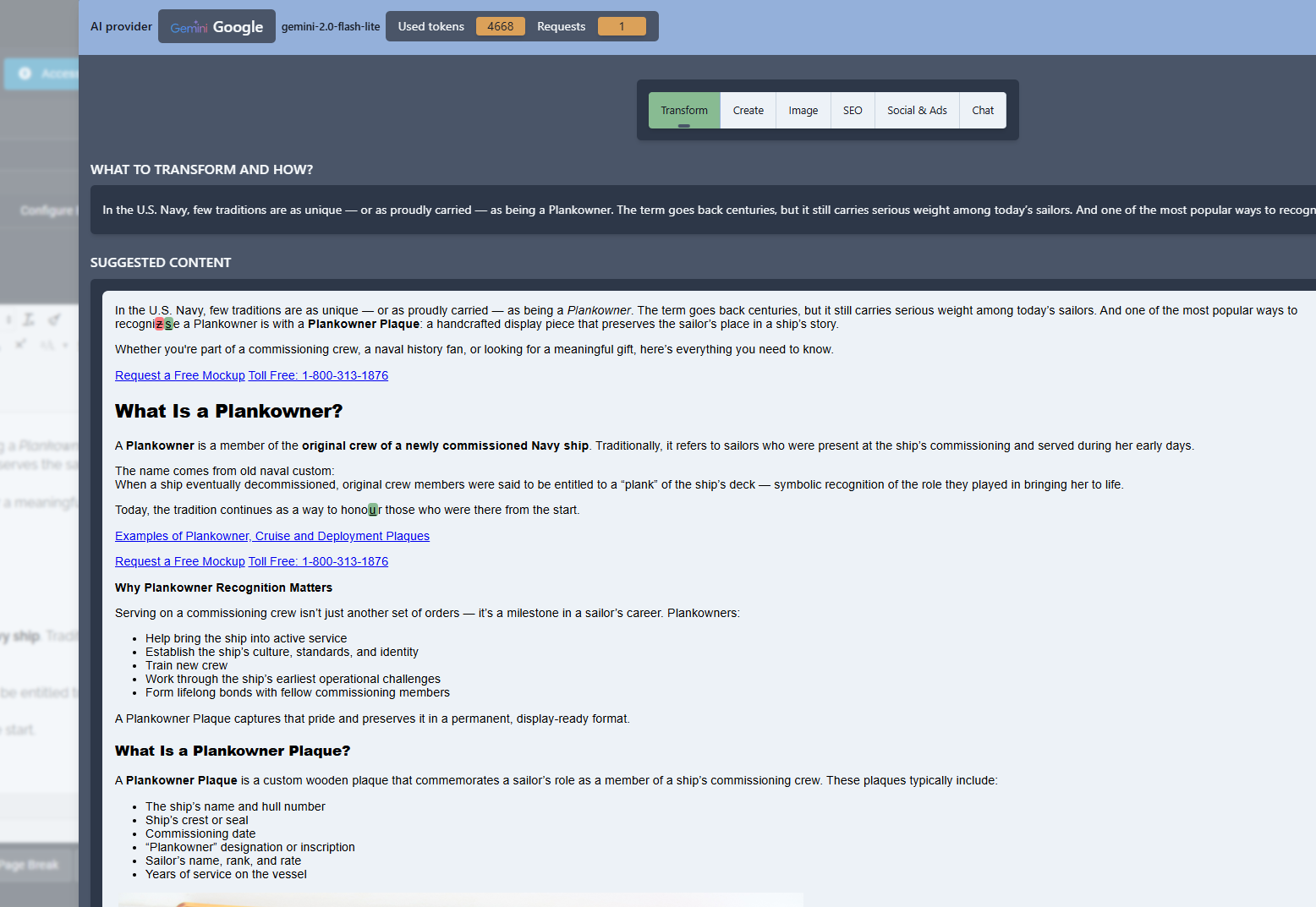
Which action are you taking exactly?
Best regards,
Yannick Gaultier
https://weeblr.com | @weeblr
johnjoemorgan
HI ... OK ... So, using it now I see the 'thinking' icon rotating. That wasn't happening at the weekend. For 'transform' it's working same as for you. For 'create' a blog for example I am gettting the same error I was with Open AI.
Talking to my server tech guy about increasing the PHP time out limit.
wb_weeblr
Hi
For 'create' a blog for example I am gettting the same error I was with Open AI.
Did you change the "active" model after enabling Gemini, using the selector at the bottom right of the window? It may still be using OpenAI.
Creating new content should not take that long. Also, which model you select matters: Gemini 2.5 will have better quality than 2.0 but will be slower. The "flash" or "Lite" models will still be quite good, but always faster. You need to experiment a bit here. Note that which model you use also affect the usage price of course.
Best regards,
Yannick Gaultier
https://weeblr.com | @weeblr

system
This ticket has been automatically closed. All tickets which have been inactive for a long time are automatically closed. If you believe that this ticket was closed in error, please contact us.
This ticket is closed, therefore read-only. You can no longer reply to it. If you need to provide more information, please open a new ticket and mention this ticket's number.