Campaigns tracking in 4Analytics
Hi all,
I just released 4Analytics 6.0, and the main new feature is campaign tracking. Reading the changelog you'd see "added support for campaigns" and move on, but this one's worth a proper explanation, because it changes what you can actually measure about how people find their way to your site.
What is a campaign, and why would you need one?
Regular analytics tell you where traffic comes from, in broad strokes: search, social, direct, some other site. What it can't tell you is which specific email, which specific business card, or which specific slide of your conference talk sent someone your way.
That's what campaigns are for. You tag a link with utm_campaign, and optionally utm_medium and utm_source for more detail, so whoever clicks it gets recorded against that campaign, with as much detail on how and where as you chose to include.
- utm_campaign: the name of the campaign - the only one you actually need to set
- utm_medium: how the link reached the visitor, e.g. email, an ad, a QR code, a webinar slide
- utm_source: where more precisely, e.g. facebook, x, or a print publication's name
You'll want this anywhere you control a link: a product launch, a trade show booth, a print ad, a newsletter, business cards, a QR code on the box, a conference talk. It doesn't have to be a tightly boxed-in event either - if someone watches the recording of your talk three months later and clicks the link in the slides, that's still a visit from that campaign.
Setting up a campaign
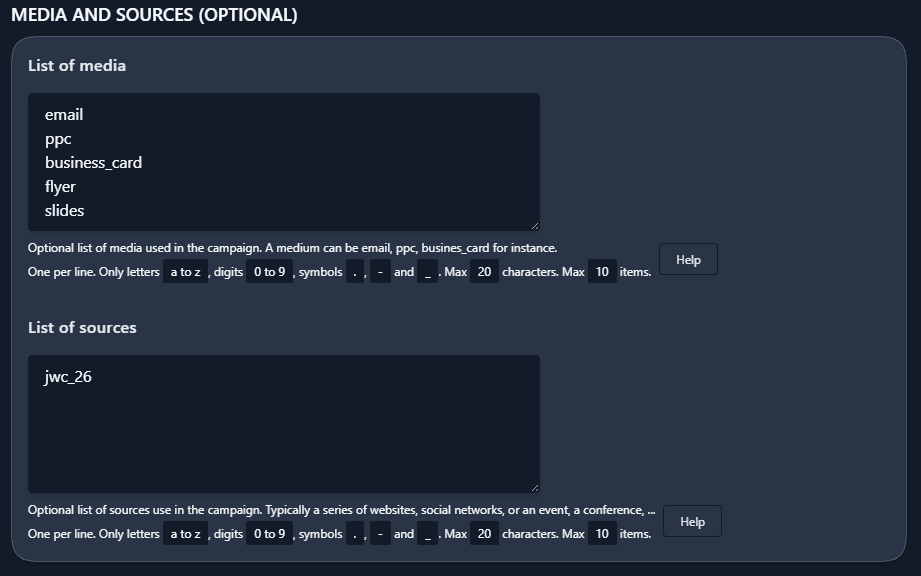
Campaigns live under Configuration | Campaigns. Give it an ID (this becomes the utm_campaign value), a title for yourself, and toggle it active - only active campaigns get counted, which matches how campaigns work in real life: they run for a while, then they're done.
The part I find useful is medium and source. Define upfront the list of values you intend to use for that campaign, and 4Analytics will only let you pick from that list afterwards. No more wondering whether last week you typed email or newsletter.
The URL & QR code builder
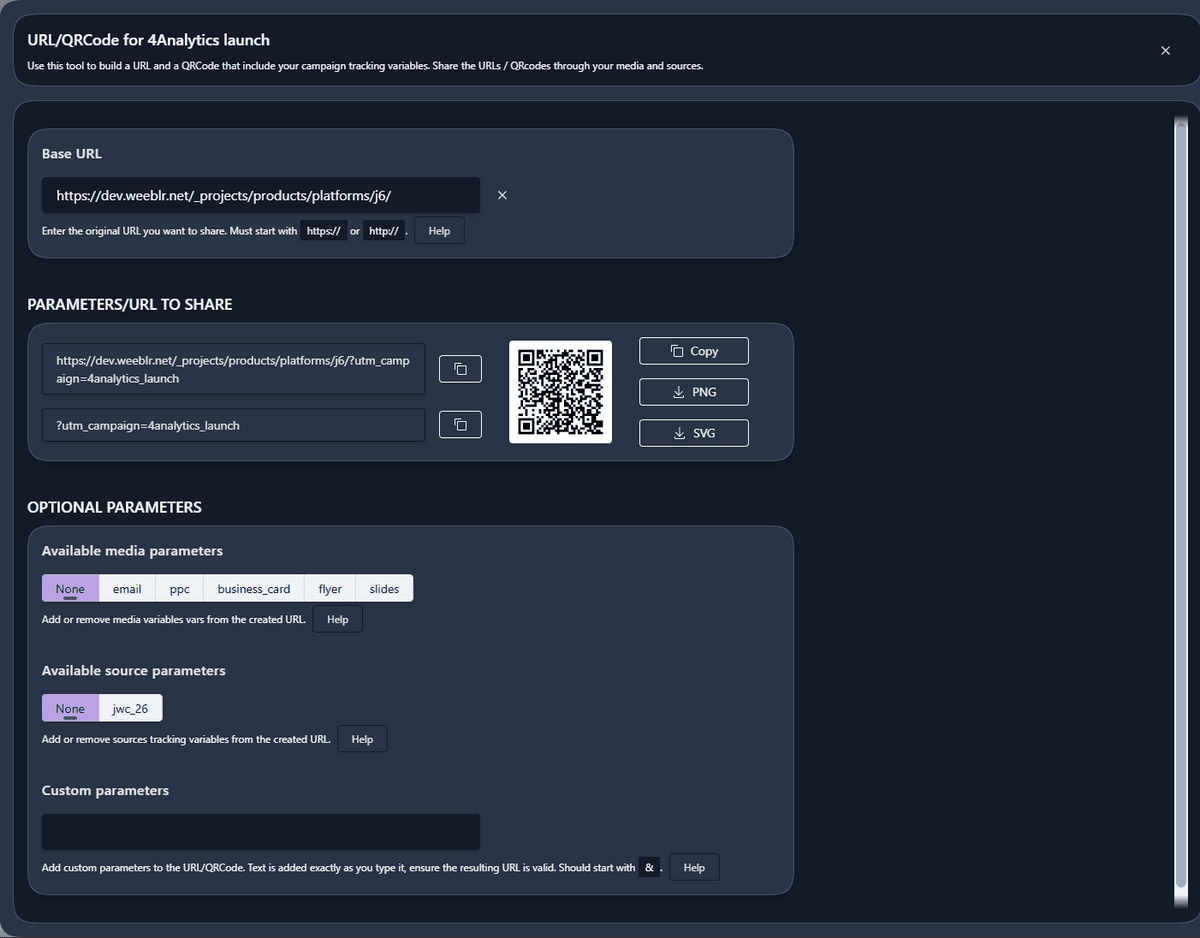
This is the part I'm most pleased with. A real campaign URL looks like this:
https://weeblr.com/4analytics?utm_campaign=4analytics_launch&utm_medium=slides&utm_source=jwc_26
Nobody wants to type that by hand, and definitely not correctly, a dozen times, for a dozen channels.
So there's now a URL & QRCode tool, open it from a campaign's fly-out menu or its toolbar, paste in the URL you want to promote, and 4Analytics does the rest: the campaign variable gets added automatically, and you pick medium and source from the lists you defined earlier.
From there, copy the finished URL or QR code and paste it into an email, a PowerPoint, or a social post. You can also download the QR code as a PNG or SVG file, PNG if it's going to print, SVG if it stays on the web.
One thing worth knowing: it works on any URL, not just pages on the current site. Paste in a link to a completely different domain and it'll build you a tracked link and QR code for it just the same. Print it on a leaflet, drop it in a slide, stick it on your packaging.
Flexible reports to match your campaigns
The Campaigns report is the other half of this. Unlike the rest of 4Analytics, it isn't locked to fixed daily/weekly/monthly/yearly periods, you pick any date range you want, which fits how campaigns run in practice: rarely aligned to a calendar boundary.
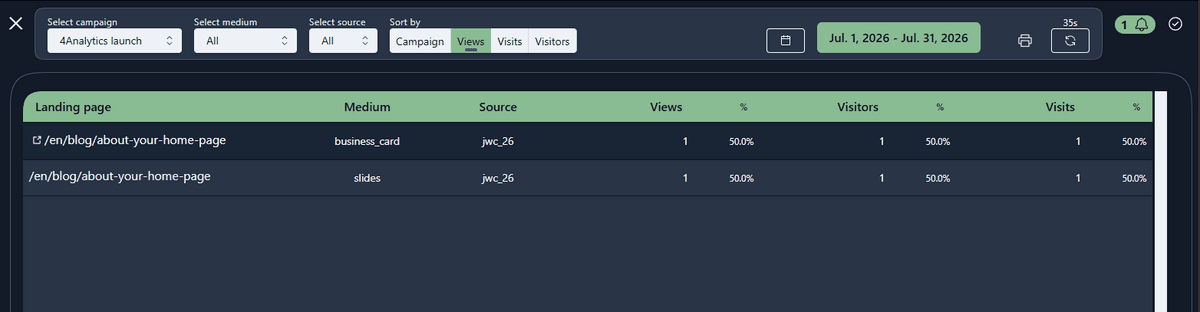
Look at all campaigns together and you get a breakdown by campaign, medium and source.
Select a single one and you also get a breakdown by landing page, so you know exactly which page each link sent people to.
Combine that with the medium and source filters and you can isolate, say, just the QR code scans from your booth versus the email you sent that same week. That's really the point: not just knowing a campaign worked, but which piece of it did.
That's all for now, more soon!
Cheers,
Yannick